

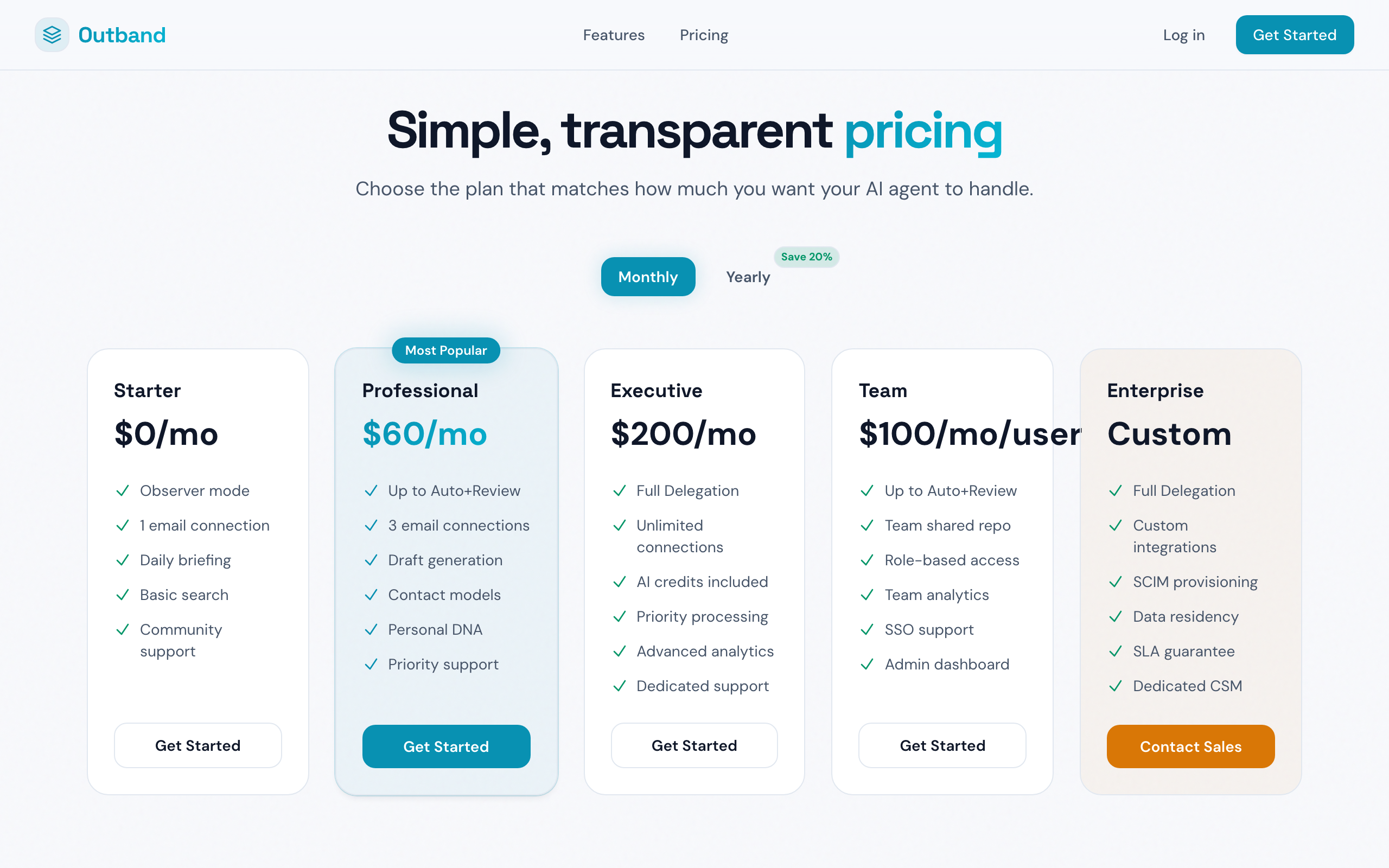
Choose the plan that fits your needs
Plans Overview
What Each Trust Level Requires
AI Model Quality
Your plan determines which AI model Outband uses:- Starter (free) — Sonnet-class AI. Good for summaries and categorization, but drafts are not available.
- Professional and above — Opus-class AI. The most capable model for drafting, perception prediction, and complex analysis.
Upgrading Your Plan
- Go to Settings > Billing & Subscription
- Select Upgrade next to the plan you want
- Enter your payment details (handled securely by Stripe)
- Your upgrade takes effect immediately — new features are available right away
Downgrading
- Go to Settings > Billing & Subscription
- Select Change Plan
- Choose a lower-tier plan
- Your downgrade takes effect at the end of your current billing period
- Features from the higher plan remain active until the period ends
Managing Payment
- Payment method — Update your credit card from Settings > Billing & Subscription > Payment Method
- Invoices — View and download past invoices from the billing page
- Billing cycle — Monthly billing, charged on the same date each month
Referral Program
Earn credits by inviting others to Outband:- Go to Settings > Billing & Subscription
- Find your referral link in the Referral section
- Share your link with colleagues
- When someone signs up and subscribes using your link, you both receive a credit
Cancellation
You can cancel your subscription at any time:- Go to Settings > Billing & Subscription
- Select Cancel Subscription
- Your account reverts to the free Starter plan at the end of the billing period
- Your data is retained — you can resubscribe at any time without losing your Contact Models or history
Next Steps
Trust Levels
Understand what each trust level enables.
Team Collaboration
Learn about team and enterprise plans.